Too Many Telegram Group Messages? 3 Ways to Cut Noise and Find Useful Discussions
Too many Telegram group messages? Reduce interruptions with folders and mute, narrow your searches, and save source context before following up on a possible lead.
Signals to watch
- Mute reduces interruptions; folders organize chats
- Search results need their original conversation
- A candidate discussion still requires human review
Twenty unread groups are waiting when your customer call ends. You remember seeing a request for a backup API provider, but not which group it came from. Searching “API” brings up supplier promotions, technical questions and the same forwarded announcement again.
If you have too many Telegram group messages, solve two problems separately: stop every chat from interrupting you, then make important discussions easy to find again. For a B2B salesperson, folders and mute handle the first problem. Focused searches and a small review queue handle the second. You do not need to read every unread message, and a quiet notification tray does not mean you have qualified a lead.
Key takeaway
- Folders organize chats; mute reduces routine interruptions. Neither evaluates a buyer’s intent.
- Telegram search can narrow existing messages by source, date and content type. It is not the same as an always-on keyword alert.
- Keep the original message and its surrounding discussion with any candidate you plan to review. A budget or deadline is a reason to investigate, not proof of a sale.
1. Too many Telegram group messages? Quiet the list before leaving groups
An unread badge is a count, not an instruction. A busy group can contain useful technical questions among advertisements; a small invite-only group can be mostly seller promotion. Judge the actual discussions against what you sell, rather than assuming that membership size predicts their value.
Start with a shortlist you can review between calls. Five to ten groups is a possible starting point, not a researched optimum. If you sell returns-warehouse services, a discussion about German returns processing belongs on that shortlist. A general ecommerce chat does not earn a place simply because it has more members.
Telegram’s official folder instructions point to Settings → Chat Folders. Choose the relevant chats and give the folder a name you will recognize, such as “Warehouse discussions.” This separates work sources from news and social conversations. A folder contains chats, not a filtered list of buyer messages inside them.
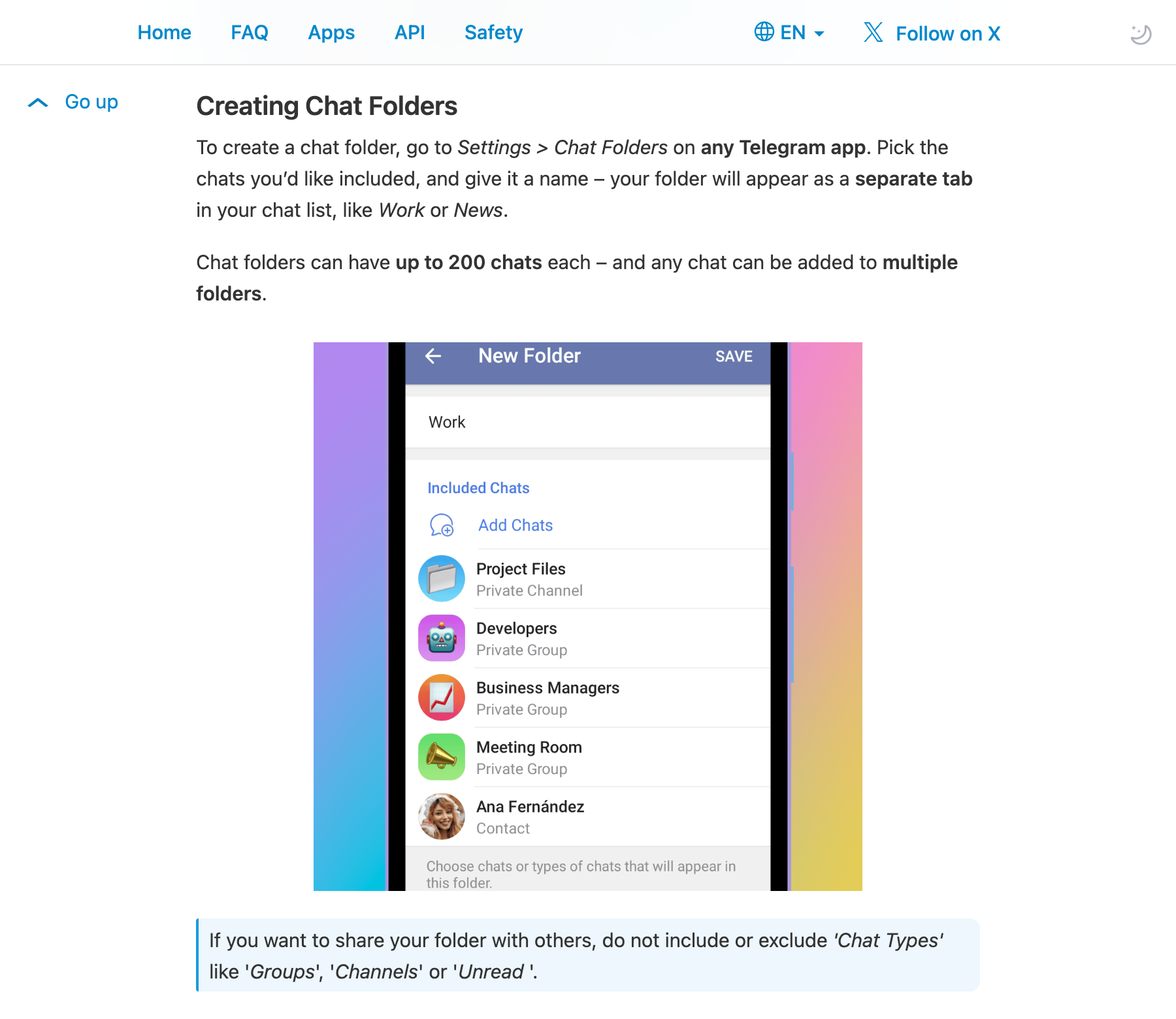
Source: Telegram Chat Folders, captured September 8, 2026. Folders organize chats, not automatically qualified customer messages.
Use these controls for different purposes:
| What is bothering you? | Practical action | What it does not do |
|---|---|---|
| Routine messages keep interrupting calls | Open the group’s notification controls and mute routine alerts | It does not remove the messages or qualify their content |
| Work groups are mixed with news and personal chats | Put selected groups in a named folder | It does not search the messages for you |
| A group is useful only occasionally | Archive it and review its notification settings | Archiving is not deleting the conversation |
| Recent discussions consistently have no connection to your work | Consider leaving after checking whether you will need access again | It does not guarantee that you can rejoin a private group |
The distinction matters when you are unsure about a source. Muting and archiving give you a way to reduce its visibility without immediately abandoning it. Telegram’s archive documentation explains that notifications can return an archived chat to the main list, while muted chats stay archived. Check the behavior and notification settings in your current client instead of assuming that “archive” means “never notify.”
Also, a muted group is not necessarily silent in every circumstance. Telegram documents separate behavior for replies and @ mentions, which can still notify you depending on your notification settings for the sender. Do not mute everything expecting to preserve only purchase requests: Telegram has not inferred which messages matter to your sales work.
After a review period, ask a concrete question about each retained source: can you point to a recent discussion about a problem your service actually addresses? If not, move it out of the daily folder. That is a better reason to reduce attention than an arbitrary rule that every group must produce a customer within two weeks.
2. Search for the discussion, not just the broad keyword
“API,” “payments” and “SaaS” are useful entry points, but an exact word can appear in a job advertisement, a supplier pitch or a request for help. Start with something you remember: a product name, error code, invoice issue or promised date. Open the likely group and search there before expanding to a broader search.
Telegram’s search-filter documentation describes combining source, time and content-type filters. If you remember that someone shared documentation yesterday, narrow the source and date, then look at links. If you remember only “invoice,” use that term and inspect the surrounding conversation rather than adding a long list of unrelated synonyms.
These are retrieval controls. A search result can take you back to an existing message; it is not a subscription that automatically alerts you whenever a future message contains your chosen term. Third-party keyword bots and monitoring services have their own capabilities, source coverage and permissions. Do not confuse them with Telegram’s native search or its reply/mention notifications.
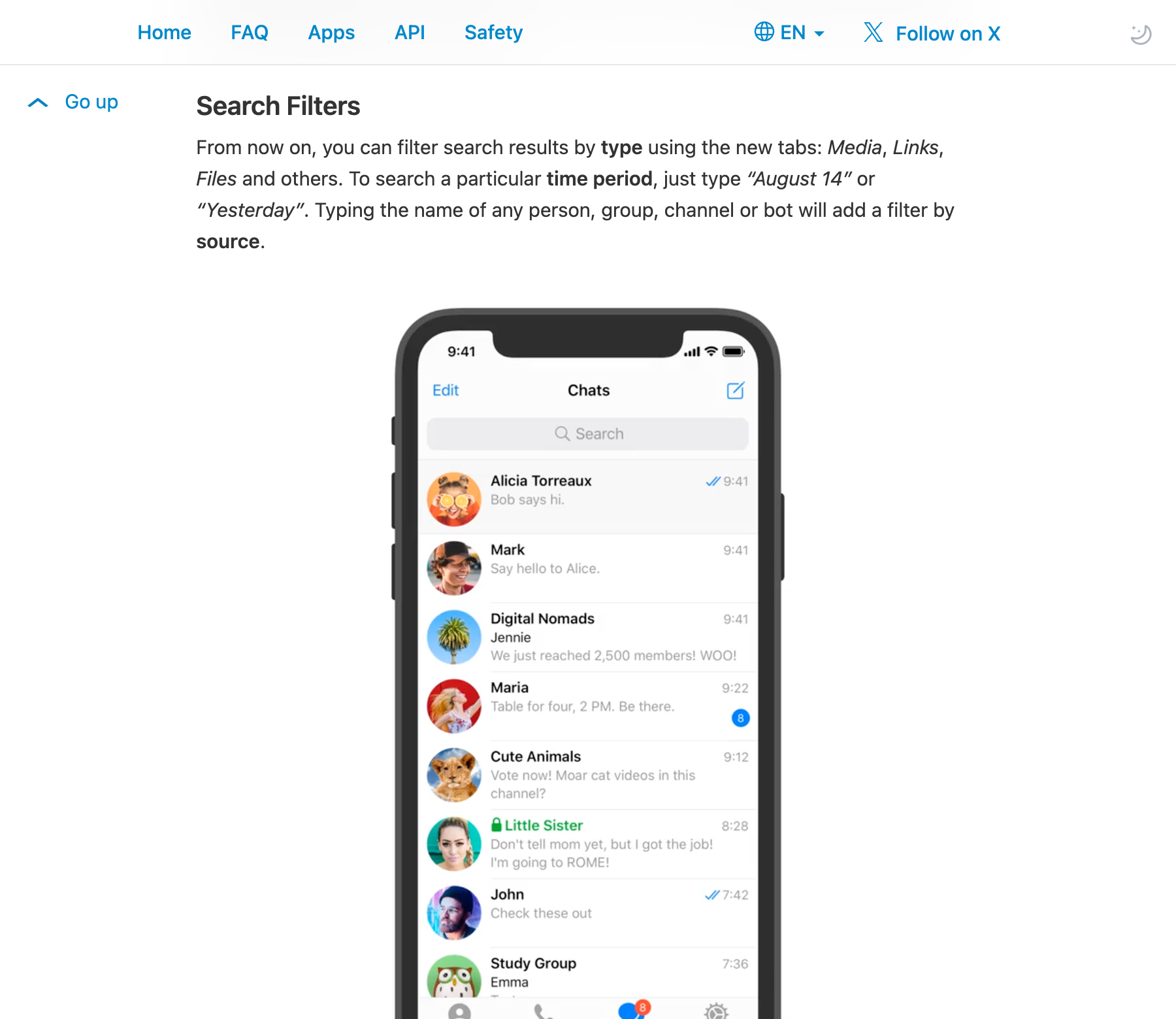
Source: Telegram Search Filters, captured September 8, 2026. These controls narrow a manual search; they are not standing keyword alerts.
When deciding which results to open first, look for details that change the next question you would ask. The following are hypothetical examples, not customer quotations:
- “Our production requests return 429 at peak time.” A 429 usually concerns request limits, but the cause needs checking against the provider’s documentation and the workload. It is not automatically a request to switch suppliers.
- “The monthly invoice doesn’t match our project totals.” This tells a billing-service seller what to ask about, but says nothing yet about a purchasing decision.
- “We need a backup before next Wednesday’s launch.” The date makes the discussion more time-sensitive, if it is current and belongs to the same request.
- “Can you invoice our Hong Kong company?” This describes a contracting requirement, not proof that the company has approved a budget.
You do not need all four details to keep a discussion. Requiring a budget, deadline and contracting entity in every message would discard incomplete but potentially useful questions. Mark missing information as something to ask, rather than pretending that absence means the author cannot buy.
There is another easy mistake: joining facts from different people. One participant may mention a $5,000 monthly budget while another says “launching next week.” Those are not a single opportunity unless the conversation establishes that they refer to the same work. Open the reply chain, check who said what, and look for a later “already solved” before assigning urgency.
The goal of filtering is a shorter list of discussions worth checking—not a list of people the software has certified as buyers. For a deeper comparison of exact-word matching and interpretation, see keyword alerts versus semantic filters.
3. Keep a reviewable record instead of another pile of screenshots
Finding a message once is not enough if the only thing you retain is a cropped screenshot. Tomorrow, you may not know whether the request was forwarded, whether the apparent deadline is still relevant, or whether a later reply changed the problem.
Telegram already offers a useful way to recover part of that context: its group reply documentation explains that tapping the quoted message in a reply jumps to the original. Follow that connection before copying a snippet. Where a message link is available, keep it; the person opening it must still have the appropriate access, and edited or deleted messages can change what is available later.
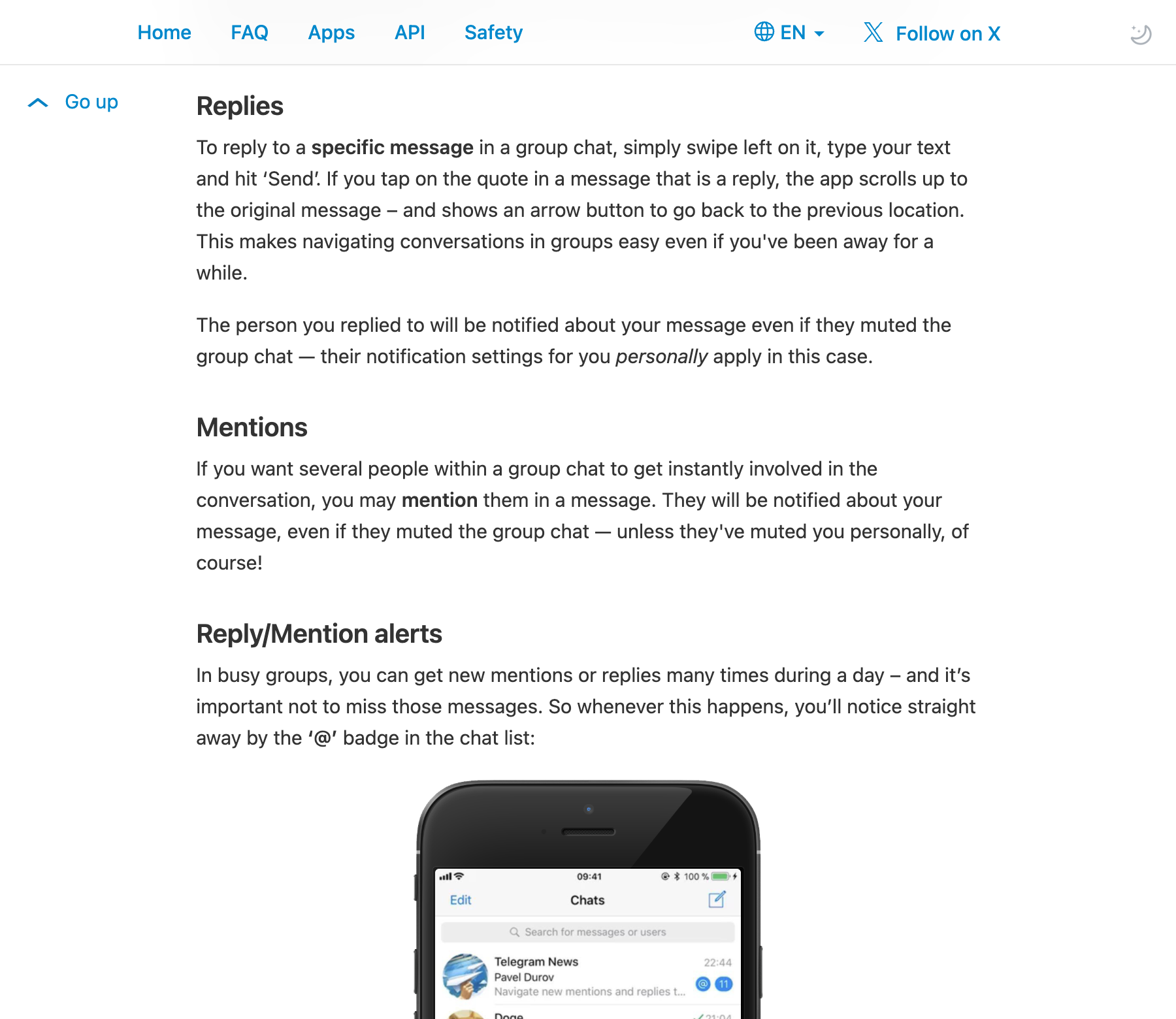
Source: Telegram Group Replies, captured September 8, 2026. Reply navigation helps recover original wording; it is not a guarantee of permanent message retention.
For a small number of sources, a private working note or spreadsheet may be enough. Use one record per discussion, not one per repeated forward. Record only what you need and are permitted to retain:
- The original wording or an accurate, attributed excerpt.
- The source group, message time and link where available.
- Relevant replies, with each speaker’s statements kept separate.
- The question still unanswered, such as whether the service is for production or a personal experiment.
- Who will review it and when to check whether the request is still open.
For example, a note might say: “Backup API request; launch date stated, workload unknown; check the original replies tomorrow morning.” That is more useful than “hot lead, urgent.” It also makes it easier for a colleague to see why you saved the discussion without treating your interpretation as the speaker’s words.
When manually repeating this process across selected groups becomes difficult, Top Prospect can help organize candidate discussions. Users connect their own Telegram account, choose the permitted sources to include, and configure extraction rules. The product uses those rules and AI-assisted filtering to organize relevant messages with original text, source and available context, alongside a suggested review priority.
The salesperson still opens the evidence, checks whether the interpretation fits, and updates the handling status manually. A high priority does not verify the author’s identity, spending authority or willingness to talk. Top Prospect does not automatically message the person, add contacts or read one-to-one private chats. It also should not be treated as a permanent archive of every historical message.
Before connecting any source to an AI tool, check permission for that use—not just whether your account can enter the group. Telegram’s content-licensing terms restrict AI-related data use and describe exceptions requiring explicit consent from the relevant users for the specific content and context. Group access alone is not blanket processing permission.
If native search and a short note already cover your workload, keep that arrangement. Add a monitoring tool because it helps you maintain reviewable records across permitted sources, not because an unread count looks alarming. A small monitoring pilot can help you check that fit before expanding the source list.
Questions about Telegram message overload
Does Telegram have built-in alerts for any keyword I choose?
Do not treat native search as that feature. Telegram documents source/date/type search filters and notifications for replies and mentions. A standing alert for arbitrary words across groups is a separate monitoring setup; verify the particular bot or service rather than assuming Telegram search provides it.
Will muting a group make me lose its messages?
Muting changes notifications; it is not deletion. You can return to the chat and review messages that remain available to your account. Replies and mentions can have separate notification behavior, and muting cannot preserve messages that are later deleted or otherwise become inaccessible.
Can an AI score tell me whether to contact someone?
It can suggest which discussion to inspect first, not make the decision for you. Check the original request, later replies, group rules and whether your service addresses the problem. Neither a large stated budget nor a high score proves a real purchasing process.
Leave yourself something you can act on tomorrow
Start with the group that interrupts you most: adjust its notifications, move it into the right folder, then recover one discussion using a narrower search. Save the source and the next unanswered question. A clean chat list is pleasant; being able to reopen the right conversation without reconstructing it from memory is what makes the cleanup useful for sales.
Sources and further reading
How a Signal worth attention is found
See how Top Prospect finds and organizes Signals worth checking, keeps the original Telegram context, removes duplicates, and helps you decide what to review first. You decide whether to follow up and what to do next.